

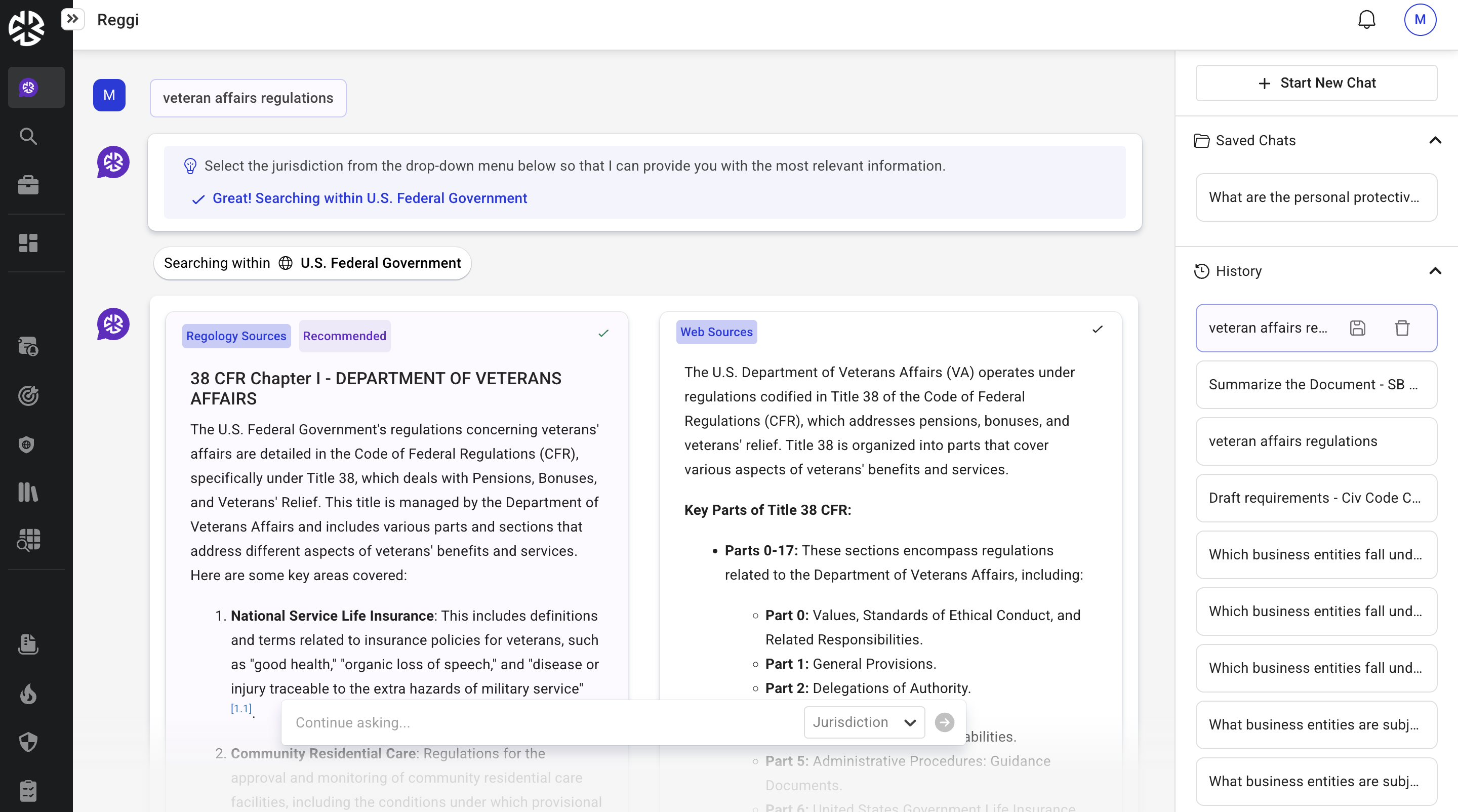
When a research query is submitted, responses from both Reggi and Web sources may be displayed side-by-side, allowing you to compare results and determine the most appropriate response for your research needs.
The platform automatically highlights the response identified as the recommended answer based on response quality and relevance.
Review Responses
The comparison view allows you to:
-
View Reggi and Web responses side-by-side.
-
Identify the recommended response through visual highlighting.
-
Expand and review the full content of either response.
-
Review source-specific information associated with Web-generated content.
Accept a Response
You can accept either the Reggi or Web response, regardless of which response is marked as recommended.
After a response is accepted, the selected response is displayed in a full-view format for continued review and use.
Review Archived Responses
If no suitable response is identified for a query, a notification is displayed indicating that an answer could not be found.
Archived responses remain available and can be reviewed by selecting the Archive icon.
Multi-Jurisdiction Research
When researching across multiple jurisdictions, Reggi and Web responses continue to be displayed side-by-side for comparison.
For jurisdictions that are not included in your subscription:
-
Regology Sources display the message: Only subscribed jurisdictions are supported.
-
Web responses remain available when relevant information can be found online.