

Conducting Jurisdictional Research
-
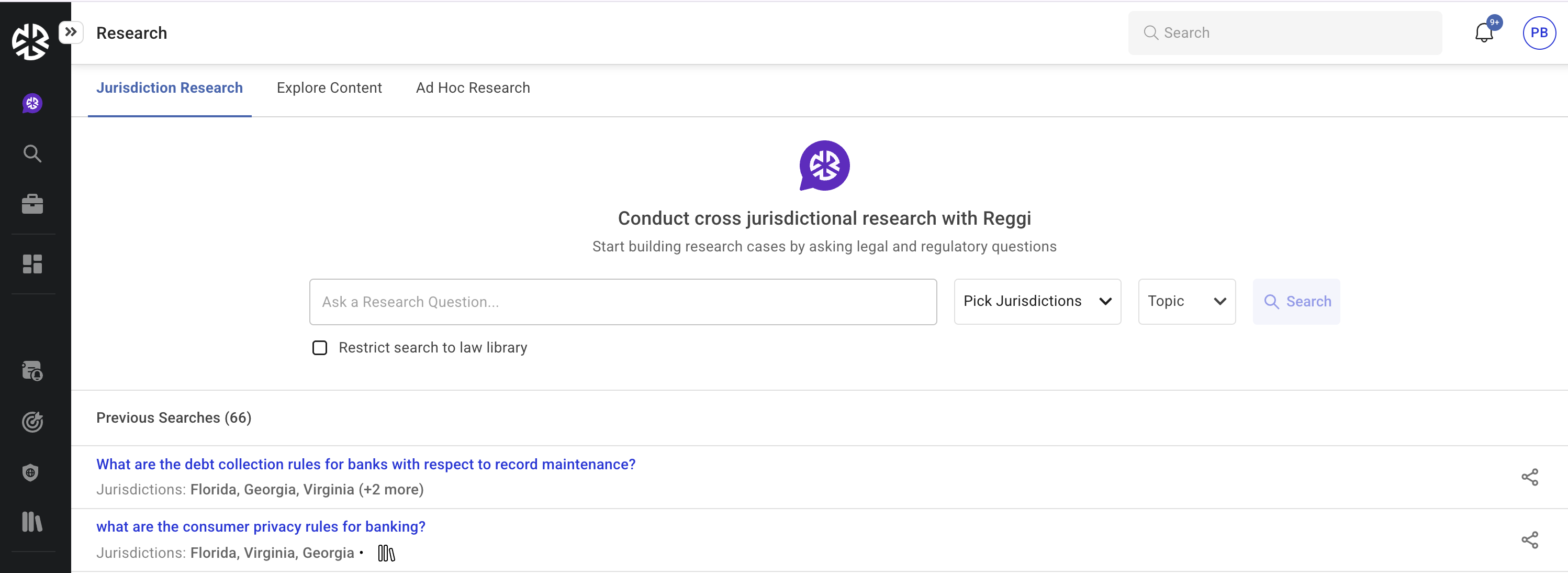
In the Jurisdiction Research tab, enter a research query in the search box.
-
Select jurisdictions using the Pick Jurisdictions dropdown.
-
Apply topic filters for a more refined search.
-
Click Search to retrieve relevant legal and regulatory results.
Applying Filters
Users can refine their search results using the following filters:
-
Jurisdiction: Select from the available jurisdictions.
-
Topics: Narrow research based on subject matter.
Saving and Managing Searches
-
Recent searches appear under Previous Searches for quick access.
-
Users can share searches with others by clicking the share icon.
-
To remove a search, click the delete icon next to it.
Additional Notes
-
Select Jurisdiction and Topics where applicable to narrow down the search scope
-
In multi-jurisdiction research, frame the prompt to query a single jurisdiction rather than multiple jurisdictions. Select the required jurisdiction separately.
Incorrect Prompt: What are the minimum age requirements to open a mortgage account across all 50 states?
Correct Prompt: What is the minimum age requirement to open a mortgage account?"