The Jurisdiction section allows administrators to define document types and jurisdictions within the system.
Steps to Configure
-
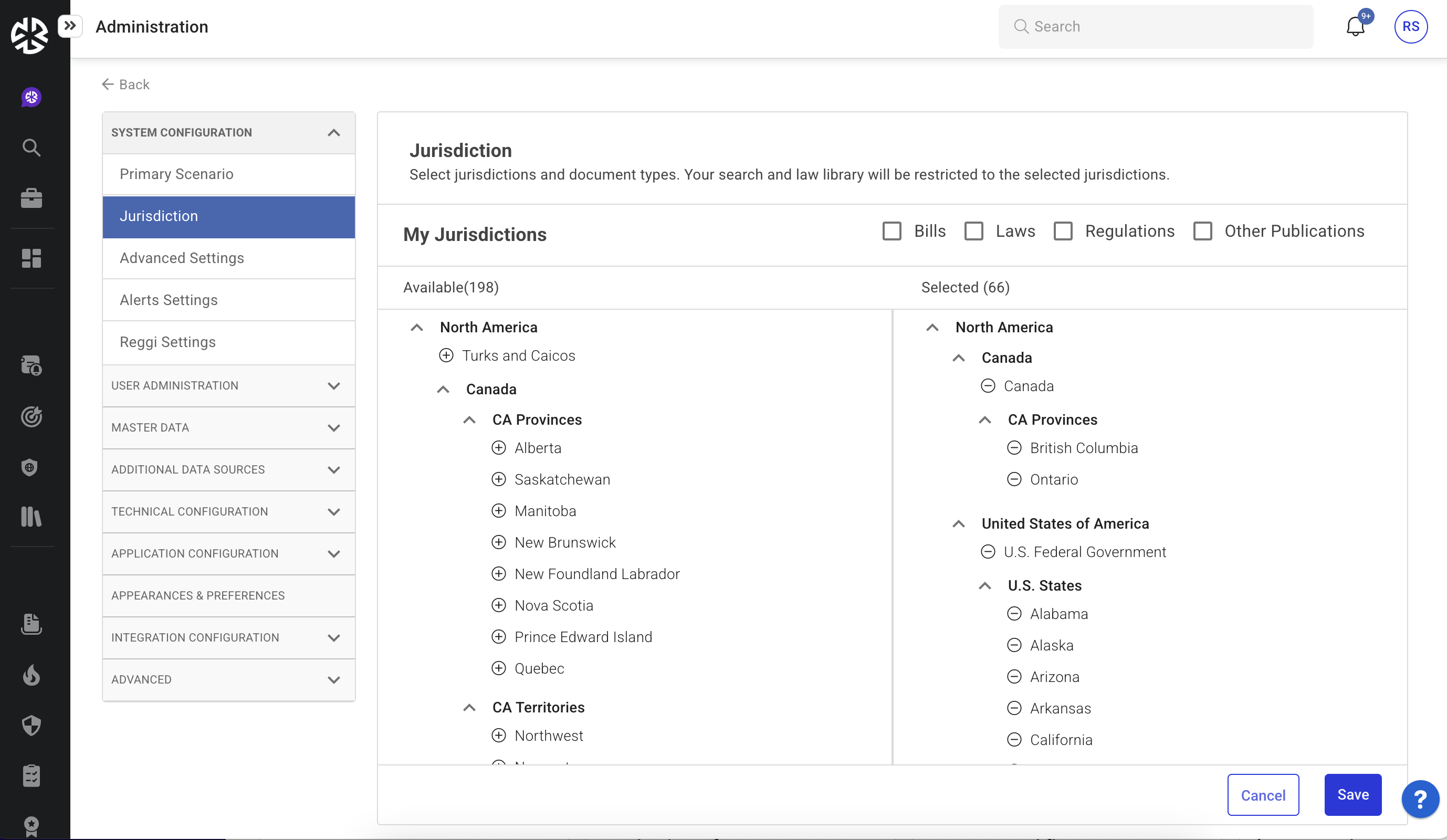
Expand System Configuration and click Jurisdiction.
-
The Jurisdiction page displays a list of available document types: Bills, Laws, Regulations, and Other Publications.
-
Select the document types to include in your jurisdiction.
-
To add a jurisdiction:
-
Locate the jurisdiction in the Available list.
-
Click the plus (+) icon next to it. The jurisdiction moves to the Selected list.
-
-
To remove a jurisdiction:
-
Locate it in the Selected list.
-
Click the minus (-) icon next to it. The jurisdiction moves back to the Available list.
-
-
Click Save to apply changes.
Based on your settings, you may be redirected to the Advanced Settings page. Review and update the settings as required.