

The Alerts module provides organizations with a centralized, automated mechanism for monitoring regulatory changes. As laws are amended, agencies issue new guidance, and bills progress through legislative processes, Regology continuously tracks these developments against your law library and configured settings, generating alerts for any changes relevant to your organization.
Alerts can be assigned to team members manually or through automated routing rules, and users may subscribe to notifications to stay informed as new alerts are generated.
Alert Types
Regology tracks three categories of alerts, listed in priority order:
-
Regulatory Changes – Updates to laws, regulations, and other documents within your law library.
-
Agency Updates – Updates from subscribed agencies, including news, press releases, proposed rules, rules, and enforcement actions.
-
Bills – Relevant bills based on your law library, selected keywords, and followed legislative bodies.
For a detailed breakdown of what triggers each alert type, refer to the Alert Types section below.
Navigating to Alerts
-
In the left-side navigation bar, select Regulatory Change Management.
-
Click "Alerts" to open the page.
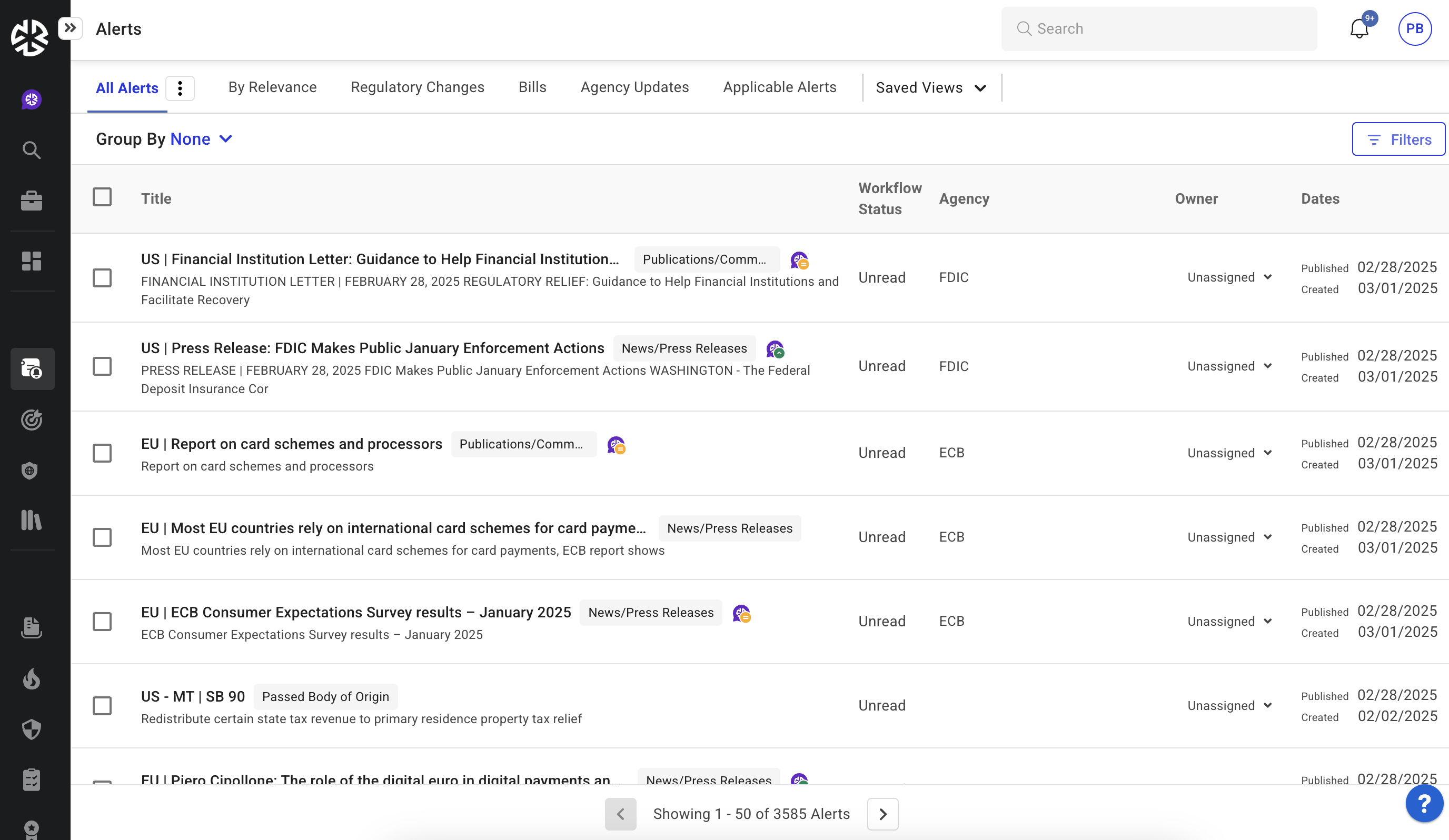
-
The Alerts page displays alerts based on the latest published date, ensuring the most recent updates appear first.
-
The Alerts page displays up to 50 alerts per page with pagination controls to navigate between pages.
Organizing Alerts
You can group alerts using the Group By option at the top of the page. Available groupings are Jurisdiction, Agency, or None (default).
Bulk Actions
Use the multi-select checkbox to select multiple alerts and perform the following actions simultaneously: changing severity, assigning owners, updating workflow status, and adding comments.

Note: Reggi, Regology's generative AI assistant, is available throughout the Alerts module to analyze and contextualize regulatory changes relevant to your organization.